

Using extensions in the digital era is not a big deal; using smart extensions that really grow your productivity is big news. Whether you want to shop online, learn how to watch videos without ads interrupting you or just want to use writing tools, extensions are found everywhere. In fact, did you know you can use an extension to receive cashback on your online shopping? We bet you didn’t! But you don’t worry because we have gathered a list of the top 10 must have extensions in 2026 that will surely enhance your productivity. Have a look!
Why You Should Use Chrome Extensions
Think of this as the best browser extensions 2026 or as a personalized “toolkit” that turns a standard web browser into a high-performance workstation. While your browser is built to handle the basics of the web, extensions add specific layers of functionality, ranging from AI writing assistants to advanced security shields that allow you to customize how websites look, act, and interact with your data.
-
Boost Productivity: Automate repetitive tasks like refreshing pages, filling out forms, or summarizing long articles with a single click.
-
Strengthen Security: Use password managers to generate unhackable logins and ad-blockers to stop malicious tracking scripts from following you.
-
Save Money: Shopping extensions can automatically scan the web for the best coupon codes or alert you when a product’s price drops.
-
Reduce Eye Strain: Tools like “Dark Reader” can force a comfortable dark mode on every website, even those that don’t natively support it.
-
Cleaner Browsing: Block intrusive pop-ups, banners, and auto-playing videos to make the internet feel less cluttered and faster to load.
-
Organize Your Workflow: Tab managers help you group dozens of open pages into organized lists, preventing your computer from slowing down.
Top 10 Must Have Chrome Extensions To Use In 2026
| Serial No. | Extensions | Usage | Ratings (Out Of 5) |
| 1. | Flipshope | Smart online shopping | 4.6 stars |
| 2. | Hyyzo | Cashback on online shopping | 5.0 stars |
| 3. | Grammarly | Find grammatical errors | 4.5 stars |
| 4. | Smart Auto Refresh | Auto web page refresher | 4.8 |
| 5. | Real Screen Recorder | Screen recorder | 4.3 |
| 6. | Sound Booster Plus | Boosts volume of device | 4.4 |
| 7. | Perplexity AI | Ask anything | 3.9 |
| 8. | SEO Minion | Get SEO insights | 4.0 |
| 9. | Urban VPN | Premium level VPN | 4.7 |
| 10. | Ad Blocker | Block unwanted ads | 4.5 |
Save The List Of Best Browser Extensions 2026
Skip the old habits of working, shopping, or even exploring the internet without using extensions. Try these top Chrome extensions 2026 for the best results whenever you’re online.
1. Flipshope
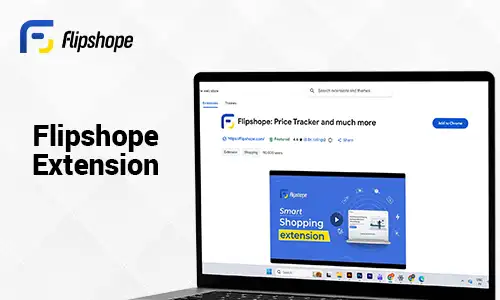
If you are looking for the best price tracker extension for your online shopping that not only makes your online shopping easier but also smarter, then give Flipshope’s exclusive extension a try. From exciting deals on your favourite products to checking their price history, Flipshope’s extension helps you with everything while shopping online. Launched in 2014, the extension gained positive response within just a few years of its release, and now millions of users are using it for their online shopping. You can use this extension as an Amazon price tracker and Flipkart price tracker, and track the prices of your favourite product and even explore more than 200 shopping stores.
Features of Flipshope
- Tracks the price history of your desired products
- Browse the best deals and offers
- Get instant price drop alerts
- Try out auto-apply coupons for discounts
2. Hyyzo
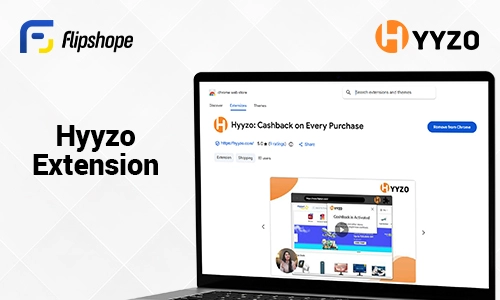
Hyyzo is one of the best tools to use when it comes to receiving cashback on online shopping. Launched in 2022, Hyyzo quickly became every shopper’s go-to shopping hub and the best cashback extension. With more than 200 stores to explore, Hyyzo has cashback on electronics, fashion, groceries, accessories and other online shopping categories. In fact, their deal page is extremely helpful if you want to shop for your favourite products at the lowest price.
Features of Hyyzo
- Exciting cashback on Flipkart, Myntra, Ajio and other popular stores
- Complete tasks and win rewards
- Explore deals on your favourite products
- Automatically apply cashback on your online shopping
3. Grammarly

People usually write their hearts out without even noticing their grammar and grammatical mistakes, and then later mess up everything. So, if you are one of those and want to eliminate your grammar errors like a pro, then take the help of the Grammarly extension. This will help you resolve all your grammatical errors without even having to ask. In fact, the extension notices your writing tone and adjusts it according to your requirements. To learn about this extension, have a look at the features mentioned below.
Features Of Grammarly
- Tone detection and adjustments
- Real-time writing assistance
- Enhances your vocabulary
- Detects plagiarism
4. Smart Auto Refresh
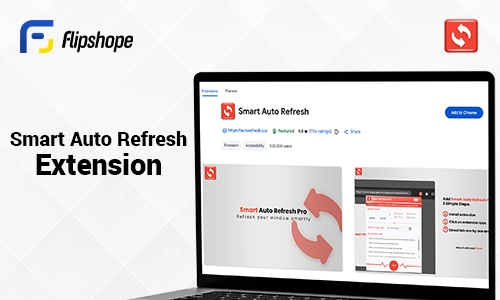
Smart auto refresh is one of the best extensions. Unlike basic refresh tools, it often features “smart” logic, such as the ability to detect page changes or only refresh when only a single tab is opened, preventing you from losing progress while typing in a form. This extension will help you change or load your page without lagging or losing your previous content. You can instantly reload the page and find your page at the exact position it was before. Here are some features of the Smart Auto Refresh extension that you should look out for.
Features Of Smart Auto Refresh
- Stop all timers at one clock
- Set a fixed time for multiple tabs to refresh at the same time
- You can reload the page or tabs in minutes or even in seconds
5. Real Screen Recorder
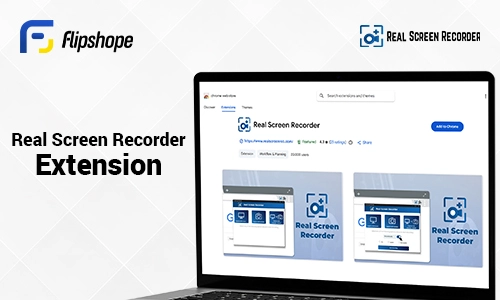
Looking for an extension that helps you screen record important sessions or videos? Well, look no further because the Real Screen Recorder extension is your ultimate helper. This screen recorder will record a full page or tab for you with high sound and video quality so that you won’t miss out on any important details. This extension will also let you record a webcam without its watermark. Here are some features of Real Screen Recorder to check out.
Features Of Real Screen Recorder
- Screen & Webcam recording
- Record screen with audio available
- No watermark
6. SoundBooster Plus
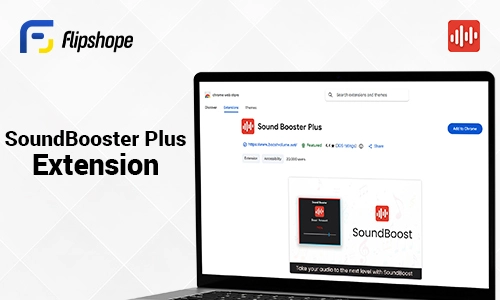
Take the sound of your video to the next level with the SoundBooster Plus extension. This will help you increase the volume of your video or music to the top level without any buffering or irritation. Moreover, you can also add this soundbooster during your important video calls or calls, so that you don’t miss out on any important details or conversation. Here are the top reasons why you should choose the SoundBooster Plus extension.
Features Of SoundBooster Plus
- Easy toggle ON/OFF switch
- Works on all sites
- Raise system sound up to 1000%
- Feedback sharing system
7. Perplexity AI

Perplexity AI is your go-to solution if you need expert help. It is basically an “Ask Anything” tool, a blend of ChatGPT and Google, designed to answer your curiosity and queries like a pro. The best thing about Perplexity AI is that it provides instant summaries of lengthy content and makes it easy for you to check the quality of your articles or any other content. To know more about Perplexity AI, let’s have a look at the following features.
Features Of Prepexlity AI
- Make sense of any article or web page at a glance
- Answers your questions directly without letting you jump between the tabs.
- Get straight and relevant answers to your current topics or domain.
- You can have dynamic conversations with Perplexity AI
8. SEO Minion
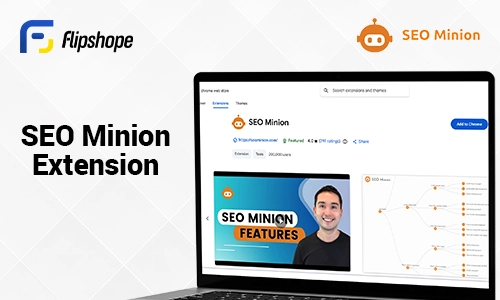
SEO Minion is an SEO analysis extension that will help you track all the insights of your content optimisation journey. Whether you are new to SEO or have deep knowledge about it, this extension will make a lot of things easier for you, including On-Page, checking broken links, SERP preview, etc. Moreover, you can also check your website’s ranking with the help of this extension. Have a look at the features of SEO Minion
Features Of SEO Minion
- Analyze the HTML of any web page
- Check the broken links on any page
- Preview your website on a real Google Search Results page
- Helps in finding the best keywords
9. Urban VPN

If you want to enhance your online privacy and secure sensitive data, then you must use Urban VPN’s extension because this will not only keep your IP address hidden but will also protect your data and connection from unwanted third-party servers. What makes Urban VPN one of the most extraordinary extensions is that it protects you from phishing attempts and unwanted ads. If you are curious to learn more about Urban VPN, then read out all the features of this extension.
- Change your IP location
- Protect your IP address
- With the help of an encrypted VPN, your traffic stays secure and protected.
- Offers advanced VPN protection to eliminate harmful ads
10. Ad Blocker
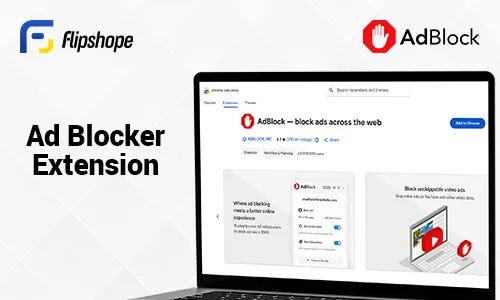
Tired of intrusive ads, slow page loadings, and online tracking? Well, worry not because extensions like Ad Blocker are here for your rescue. Whether you are browsing any web page or simply enjoying YouTube, Ad Blocker will block all the unwanted ads and make your browsing experience cleaner, safer, and faster. This useful Chrome extension 2026 is designed to be highly effective and works without slowing down your browser. Here are some points that will show why you should choose the Ad Blocker extension for productivity.
- Block all sorts of ads, including banners, pop-ups, video-ads, etc.
- Stop tracking cookies so that other third-party sites can’t track your online activities.
- Speeds up your browsing experience by eliminating unwanted ads and pages.
- Highly lightweight and effective to use.
Bottom Line:
Smart work requires smart tools; using extensions to your browser is the smartest thing to do. The above mentioned extensions will not only enhance your productivity but will also keep your data safe and protected from potential threats. Extensions Flipshope and Hyyzo will enhance your online shopping experience by providing the best shopping tricks and deals, while extensions like Smart Auto Refresh and Ad Blocker will keep your browser’s quality in check. If you are new to the extension world, then you should definitely check out the top 10 extensions.
FAQs
Q1. Are chrome extensions safe to install?
Ans. Yes, the top 10 mentioned chrome extensions are extremely safe to install.
Q2. Is Flipshope’s chrome extension really helpful while shopping online?
Ans. Yes, Flipshope’s chrome extension helps you save money on online shopping with features like price history tracker, Price drop alert, Auto-apply coupon, and deals.
Q3. How can I find these extensions?
Ans. You can find these extensions easily on Chrome and even install it to your browser without following lengthy steps.
Q4. Do I need to pay for any of these extensions before using them?
Ans. No, Extensions like Flipshope and Hyyzo are free to use, while you might need to pay for the premium usage for extensions like Grammarly.
Q5. Which extension provides the best deals on online shopping?
Ans. Both Flipshope and Hyyzo extension has a deal page for more than 200+ stores. You can find deals on products from Amazon, Flipkart, Myntra, Ajio, etc.