

Most people check the price, see a “discount” badge, and buy immediately.
That’s usually how they end up overpaying.
Laptop prices on Amazon and Flipkart don’t stay fixed. They move up and down constantly based on sales, stock levels, and what competitors are doing. The same laptop you bought for ₹65,000 today could show up for ₹58,000 next week, and you’d have no way of knowing unless you were watching.
A price tracker does that watching for you. This guide explains how it works, what to look for, and how to use it to actually buy at the right time instead of just hoping you did.
What Is a Price Tracker?
A price tracker is a tool that automatically monitors product prices on shopping platforms and records every change over time.
Instead of you refreshing a product page every day, the tracker runs in the background and logs what the price was yesterday, last week, and three months ago. When something drops to a level you’ve set, it notifies you.
Most price trackers are available as:
- Browser extensions that work while you shop
- Websites where you paste a product link
- Mobile apps for tracking on the go
The key thing that sets a price tracker apart from just bookmarking a product is its price history. That historical data tells you whether a discount is real or just some made-up number.
Why Laptop Prices Change So Often?
If you’ve noticed a laptop costing different amounts on different days, you’re not imagining it. Online pricing is dynamic, and several things drive those changes:
| Reason | What Happens |
| Flash sales | Price drops sharply for a few hours |
| Festival offers | Discounts tied to Diwali, Big Billion Day, etc. |
| New model launch | Older models drop in price to clear stock |
| Low stock | Prices go up when very few units remain |
| Competitor pricing | Platforms adjust to match or beat each other |
| Brand promotions | Manufacturer-specific deals for limited periods |
A laptop priced at ₹65,000 today can genuinely drop to ₹59,999 the following week, not because of any sale, but simply because stock has cleared or a competitor has adjusted their listing.
This is exactly why tracking matters. The price you see today is not necessarily the price this laptop has always been, or will always be.
Step-by-Step: How to Use a Price Tracker for Laptops
This is the part that actually saves money. Most people skip a few of these steps and then wonder why they didn’t get a better deal.
Step 1: Find the laptop you want
Search for it on Amazon or Flipkart. Get to the actual product page for the specific variant, RAM configuration, storage, and colour you need. The 16GB and 8GB versions will have completely separate price histories.
Step 2: Open it in a price tracker
Copy the product URL and paste it into a price-tracking tool, or, if you’re using a browser extension, the product page will usually appear automatically. The tracker pulls the listing and starts monitoring it.
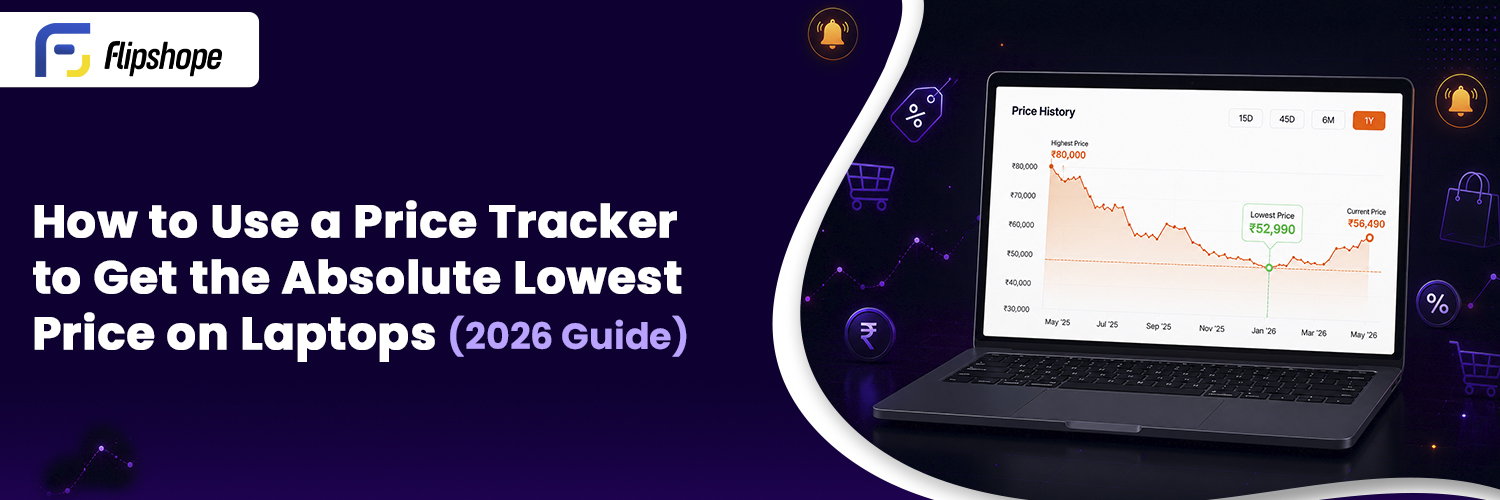
Step 3: Check the price history
This is the most important step and the one most people skip entirely.
The price history graph shows you the laptop’s actual cost over the past weeks or months. A good tracker will show you:
- The current price
- The historical lowest price
- The average price over the tracked period
- Any sharp spikes or drops and when they happened
Before you consider buying, look at this graph first.
For example: Using a price tracker for a real laptop Purchase
Let’s say you’re planning to buy the Lenovo LOQ 15 (Intel Core i5, RTX 4050, 16 GB RAM) and your budget is around 72,000.
When you open the product page and check the price history, you notice something like this:
| DATE | PRICE |
| 5 MAy | 76,999 |
| 18 May | 73,999 |
| 2 June | 69,999 |
| 15 June | 71,499 |
| Today | 74,999 |
At first glance, today’s ₹74,999 price might seem like a good deal because it carries a “10% OFF” badge. However, the price history tells a different story. The same laptop dropped to ₹69,999 just a few weeks ago.
Instead of buying immediately, you set a price alert at ₹70,000 and continue with your regular work. A few weeks later, during a major sale, the alert notifies you that the laptop has reached your target price. You complete the purchase knowing you’re paying close to its historical low rather than relying only on a discount banner.
That’s exactly where a price tracker becomes valuable. It helps you decide when to buy instead of simply reacting to every sale.
Step 4: Set a price drop alert
Decide what price you’re comfortable paying and set that as your alert threshold. The tracker will send you a notification the moment the laptop hits that number. You don’t have to check manually at all.
This is what makes price tracking genuinely practical for busy people. Set it and forget it until the alert arrives.
Step 5: Compare today’s price to the historical low
Look at the current “sale price” and compare it with the price history. Ask yourself:
- Has this laptop been cheaper before?
- Is this the lowest it’s been in the past 90 days?
- Is this a genuine drop or a temporary spike that’s now being called a discount?
These three questions will filter out most fake deals instantly.
Step 6: Buy when the price matches your budget, and the history supports it
If the current price is close to or at the historical low, that’s usually a reasonable time to buy. If history shows it regularly dips another ₹3,000 to ₹5,000 during specific sales, waiting might make sense.
The tracker gives you the data. The decision is still yours, but it’s an informed one.
Why Price History Matters More Than the Discount Percentage
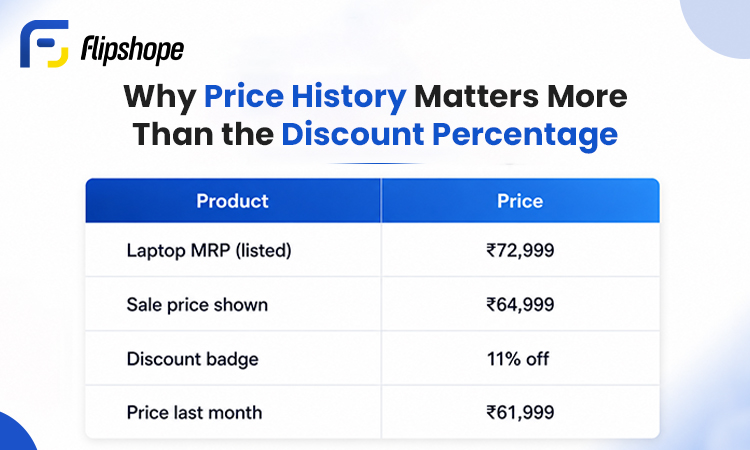
| Product | Price |
| Laptop MRP (listed) | ₹72,999 |
| Sale price shown | ₹64,999 |
| Discount badge | 11% off |
| Price last month | ₹61,999 |
That sale looks attractive until you check the history. The same laptop cost ₹61,999 30 days ago without a sale badge. Today’s “deal” is actually ₹3,000 more than it was last month.
This happens regularly during big sale events. Platforms sometimes inflate the “original price” in the weeks before a sale so the sale discount appears larger. Price history makes this immediately visible.
Never judge a laptop deal by the discount percentage alone. Judge it by where the price sits relative to its actual history.
Benefits of Using a Price Tracker
Beyond just saving money on one purchase, price tracking changes how you shop entirely:
- Avoid fake discounts by seeing what the price actually was before the “sale”
- Make decisions based on actual pricing data instead of guesswork
- Track multiple laptops at the same time without juggling browser tabs
- Get automatic alerts so you never miss a genuine price drop
- Save time since the tracker monitors 24/7 without you doing anything
- Works across platforms for both Amazon and Flipkart listings
- Useful during big sales like Flipkart Big Billion Days or Amazon Great Indian Festival, when fake discounting is most common
For students, gamers, or anyone on a fixed budget, this kind of data removes the guesswork from a purchase that often costs ₹40,000 to ₹ 1,00,000 or more.
Common Mistakes People Make While Tracking Prices
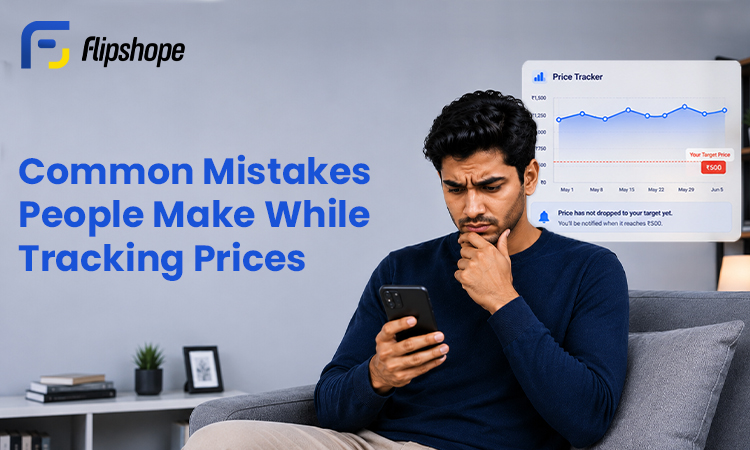
Price trackers are simple to use, but a few habits reduce how effective they are:
- Setting price alerts for unrealistic targets: if a ₹70,000 laptop has never gone below ₹60,000 historically, setting an alert at ₹45,000 means you’ll wait forever
- Ignoring the price history and only looking at today’s price: this is the most common mistake
- Checking the tracker once and then forgetting to act: prices can spike back up within hours after a flash sale ends
- Not comparing sellers on the same platform: the same laptop model sometimes has multiple sellers with slightly different prices
- Skipping cashback options: a price tracker tells you the listed price, but combining that with cashback can bring your actual cost down further
- Tracking the wrong variant: always make sure the URL you’re tracking matches the exact configuration you want to buy
Why Flipshope’s Price Tracker Makes This Easier
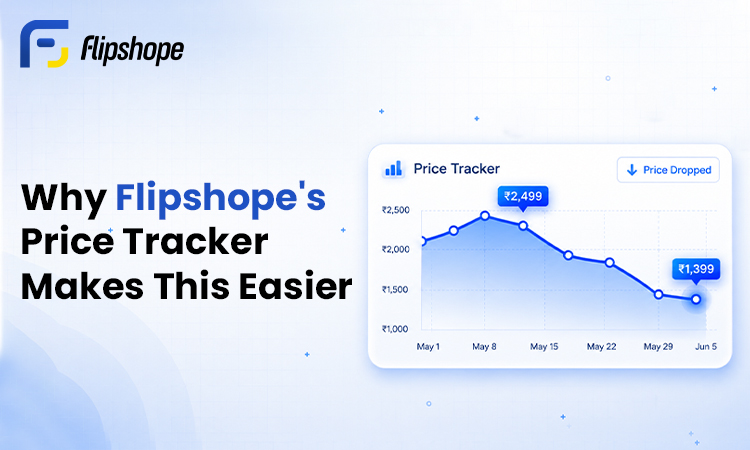
Flipshope is a browser extension built specifically for Indian shoppers on Amazon and Flipkart.
When you’re on a product page, the Flipshope price tracker shows you:
- A price history graph directly on the page, without opening a separate website
- Price drop alerts that notify you when your chosen laptop drops to your target
- The historical lowest price so you know what the actual floor looks like
- One-click tracking so you can add products quickly while browsing
It works passively in the background while you shop. You don’t have to manually paste URLs or remember to check the data, it appears where you already are.
Flipshope doesn’t predict future prices or guarantee you’ll always get the lowest price. What it does is give you enough information to make a better decision than someone buying on impulse. That’s what smart shopping actually looks like.
Conclusion
Waiting for a sale isn’t a strategy. Checking prices manually every day isn’t either.
A price tracker provides historical data, price drop alerts, and a clear picture of a laptop’s actual price over time. When those three things come together, you stop buying on hope and start buying on information.
Use price history alongside your budget. Set a realistic alert. And when the price tracker tells you the moment is right, you can buy with confidence instead of guessing.
Waiting for a sale isn’t a strategy. Shaking prices manually every day isn’t either.
A price tracker gives you historical data, drop alerts, and a clear picture of a laptop’s actual price
Frequently Asked Questions
Q1. What is a price tracker and how does it work?
A price tracker monitors product prices on platforms like Amazon and Flipkart and records every change over time. It lets you view price history, spot genuine discounts, and set alerts so you’re notified when a laptop hits your target price, helping you make a more informed buying decision.
Q2. Are price drop alerts reliable?
Price drop alerts are useful for staying informed when a price drops to your chosen level. They depend on how often the tracker updates prices from supported stores, but they eliminate the need to check prices manually every day and help you act quickly when a real deal appears.
Q3. Do price trackers work for both Amazon and Flipkart?
Many price tracking tools support both platforms. Flipshope, for example, is built specifically for Indian shoppers and works on both Amazon and Flipkart product pages with price history and alert features.
Q4. How can I check laptop price history online?
Open the product page on Amazon or Flipkart and use a price tracking extension like Flipshope. The price history graph will appear directly on the page, showing past prices without opening a separate tool.
Q5. Is today’s sale price always the lowest a laptop has been?
Not always. Price history often shows that a laptop was cheaper weeks before a major sale event. Platforms sometimes raise prices before sales to make the discount look larger. Checking history before buying is the only reliable way to verify.